
Flowie
A fast, keyboard-first outliner. Zoom into any bullet, link and mirror ideas, write math, and search your outline. Your notes stay on your device.


Features
Write and organize
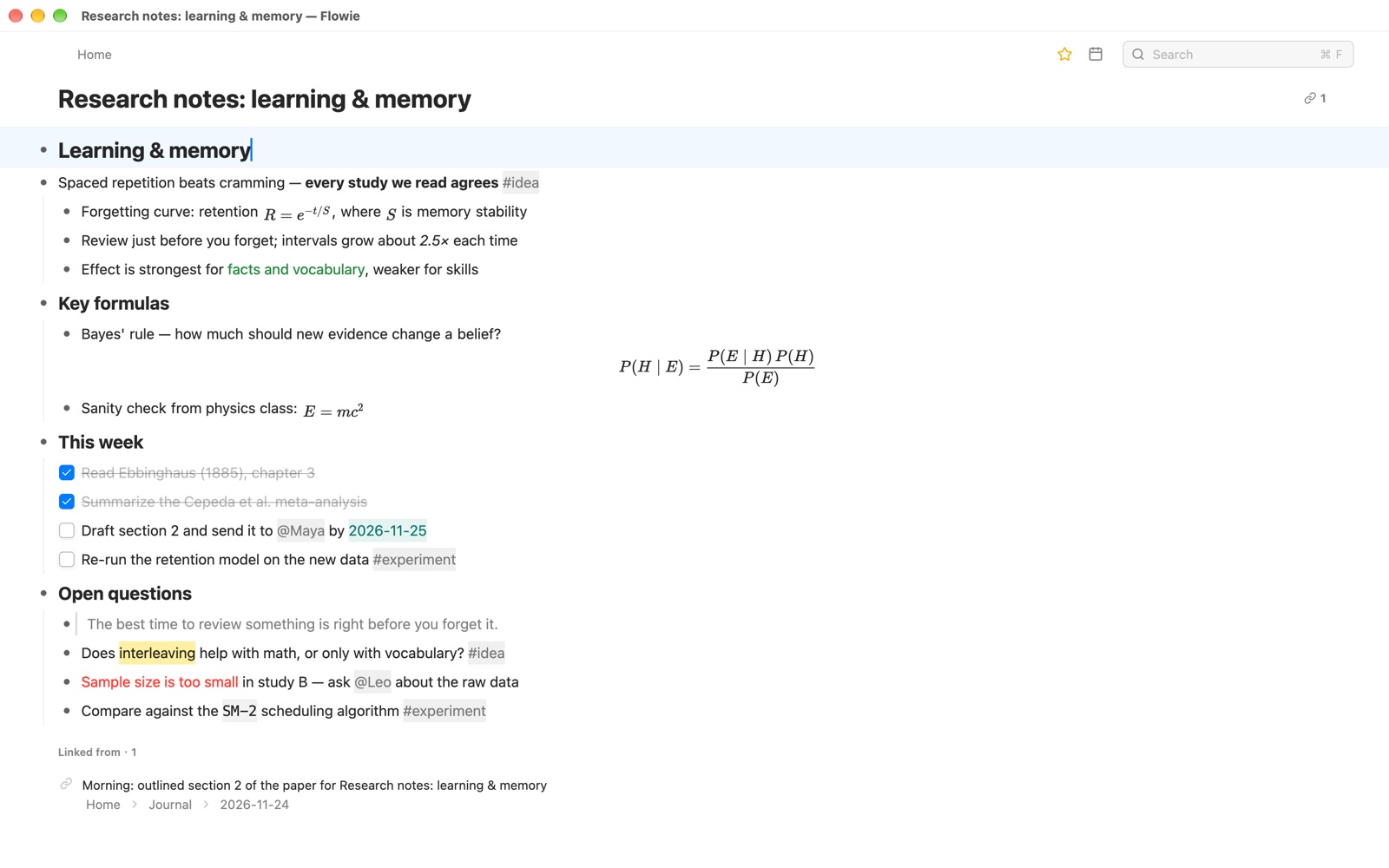
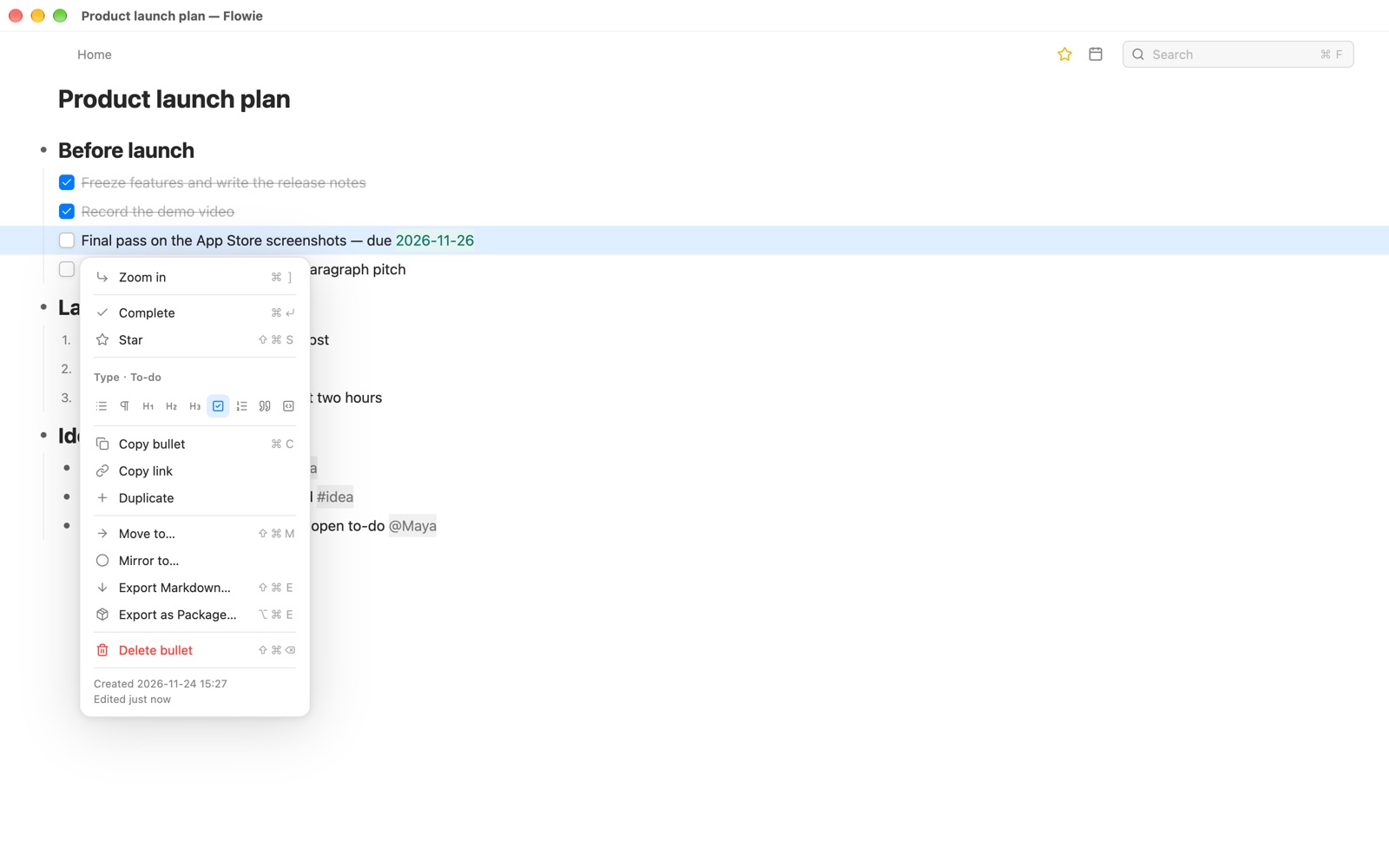
- Every bullet is a page — zoom in to focus, out for the big picture
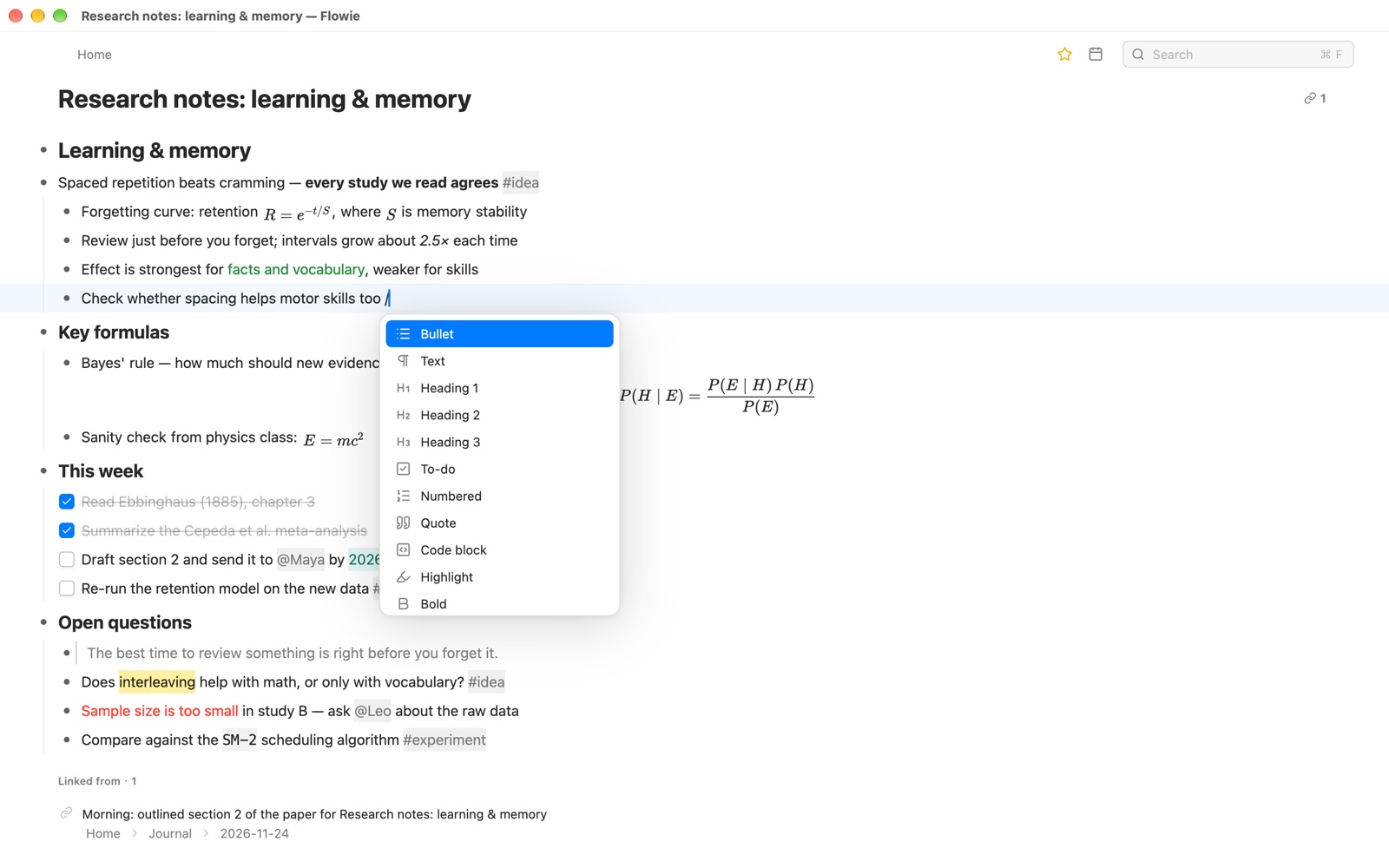
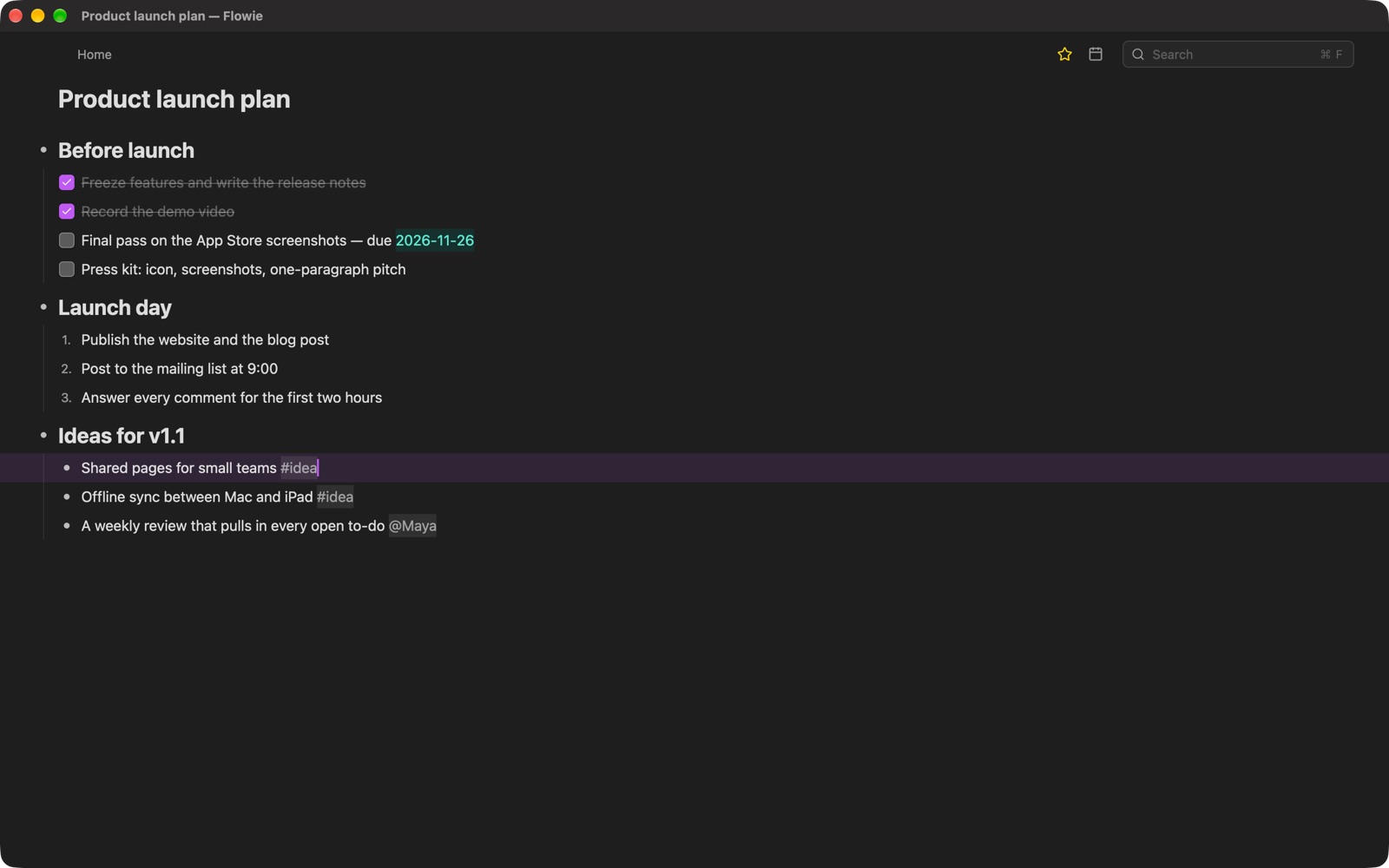
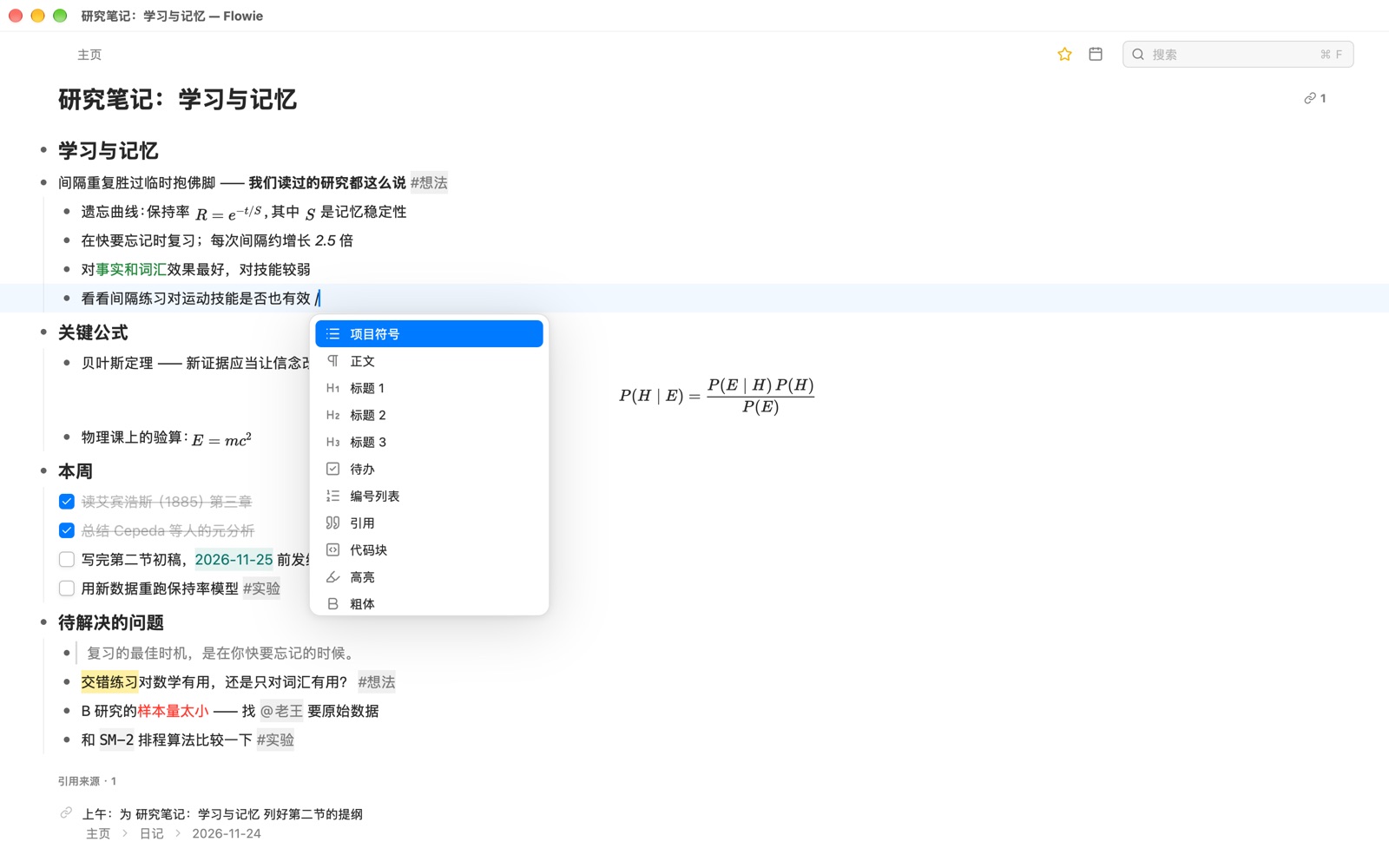
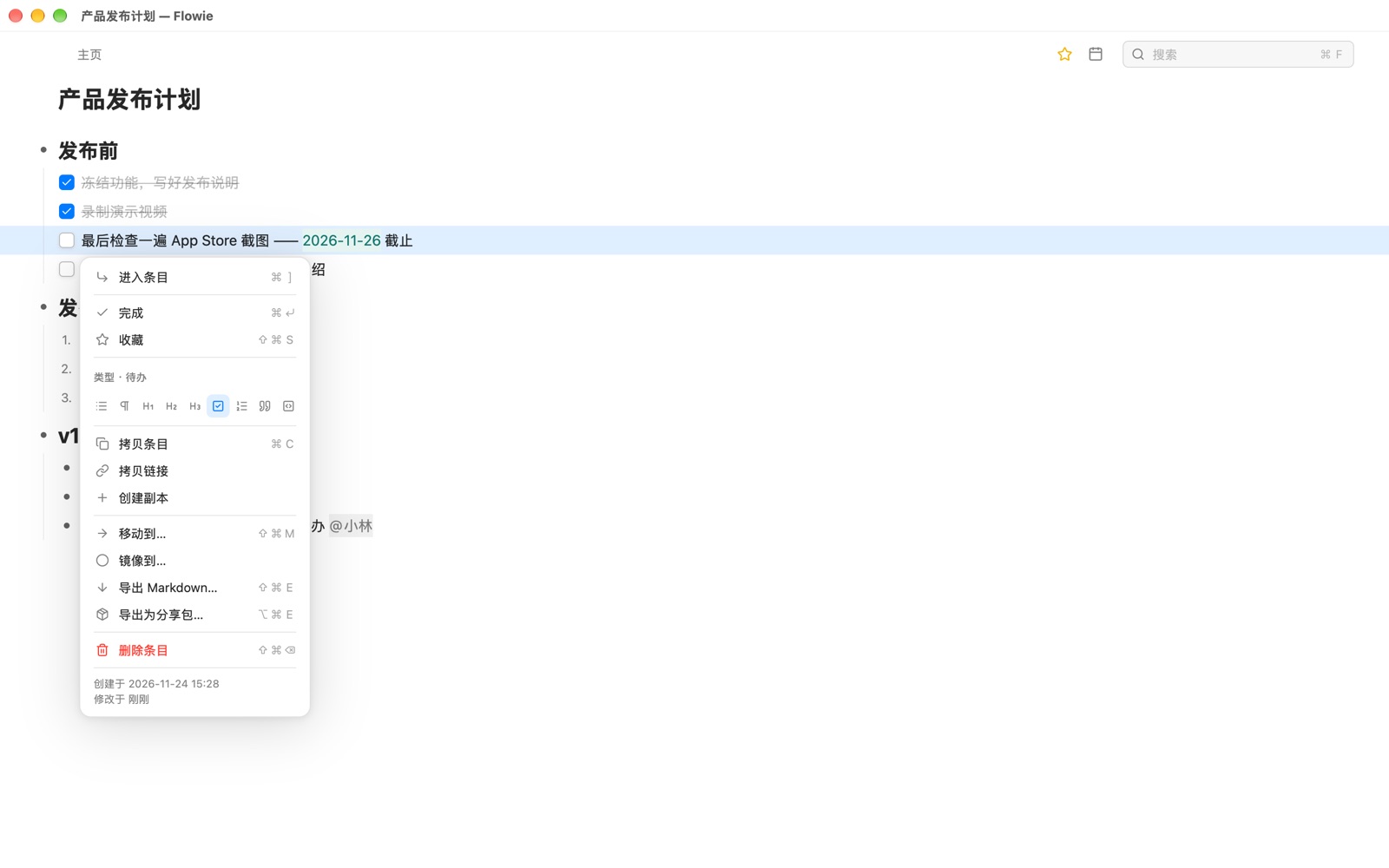
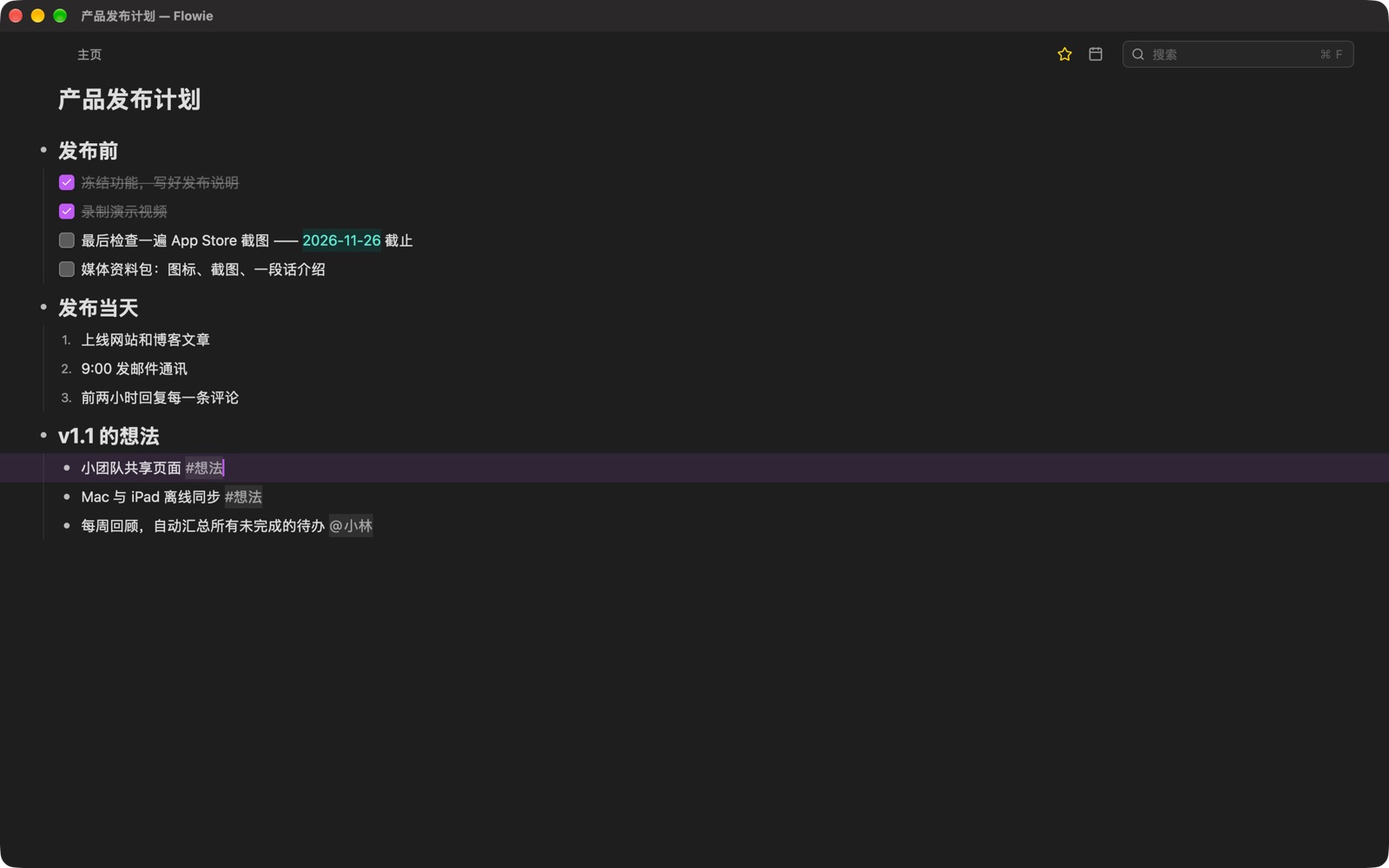
- Headings, to-dos, numbered lists, quotes and code blocks
- Bold, italic, highlight, colors and links from the keyboard or the
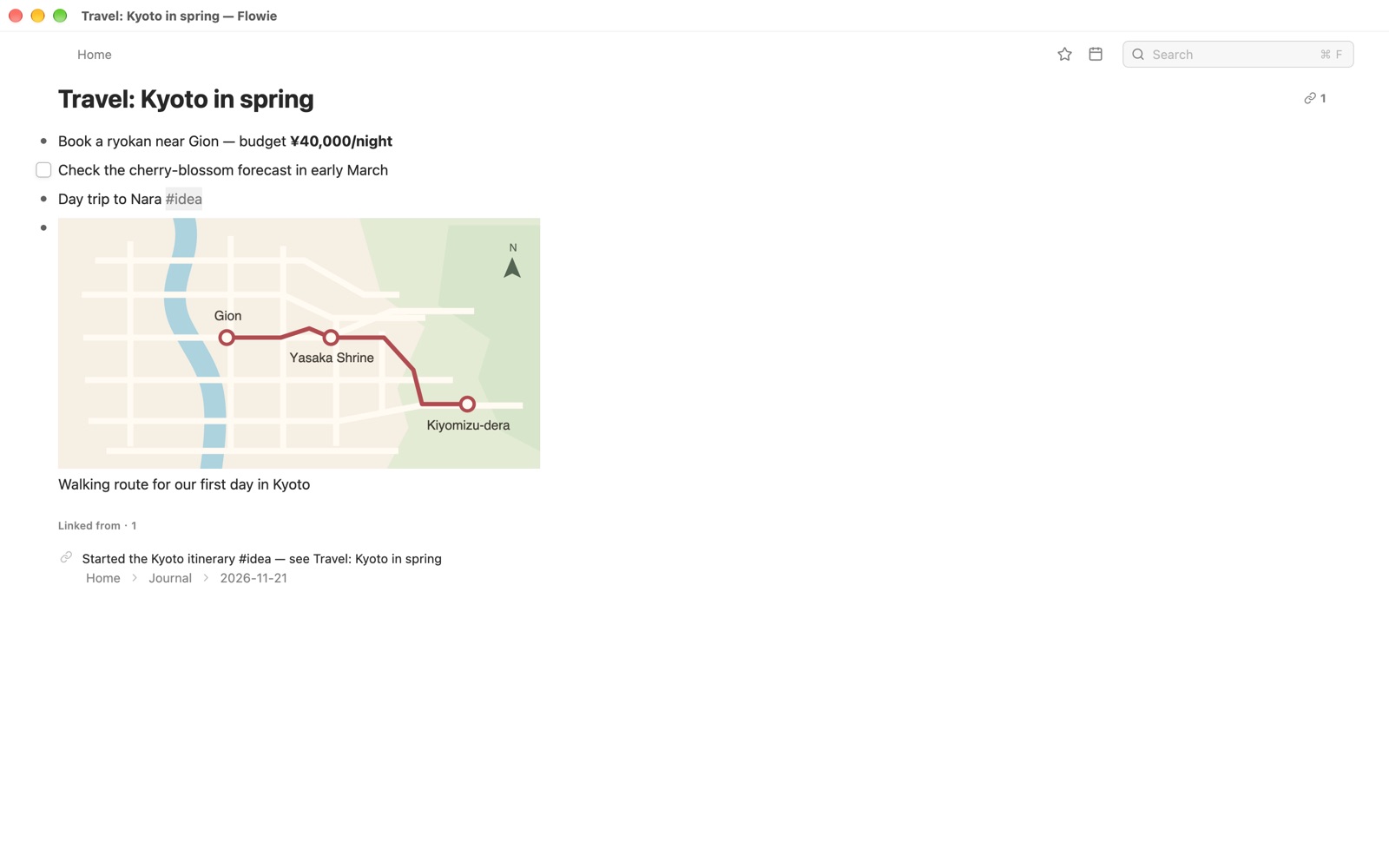
/menu - Notes under any bullet, plus images with captions
Math
- Inline
$…$and display$$…$$LaTeX - Rendered natively as you type, with a live preview
Connect ideas
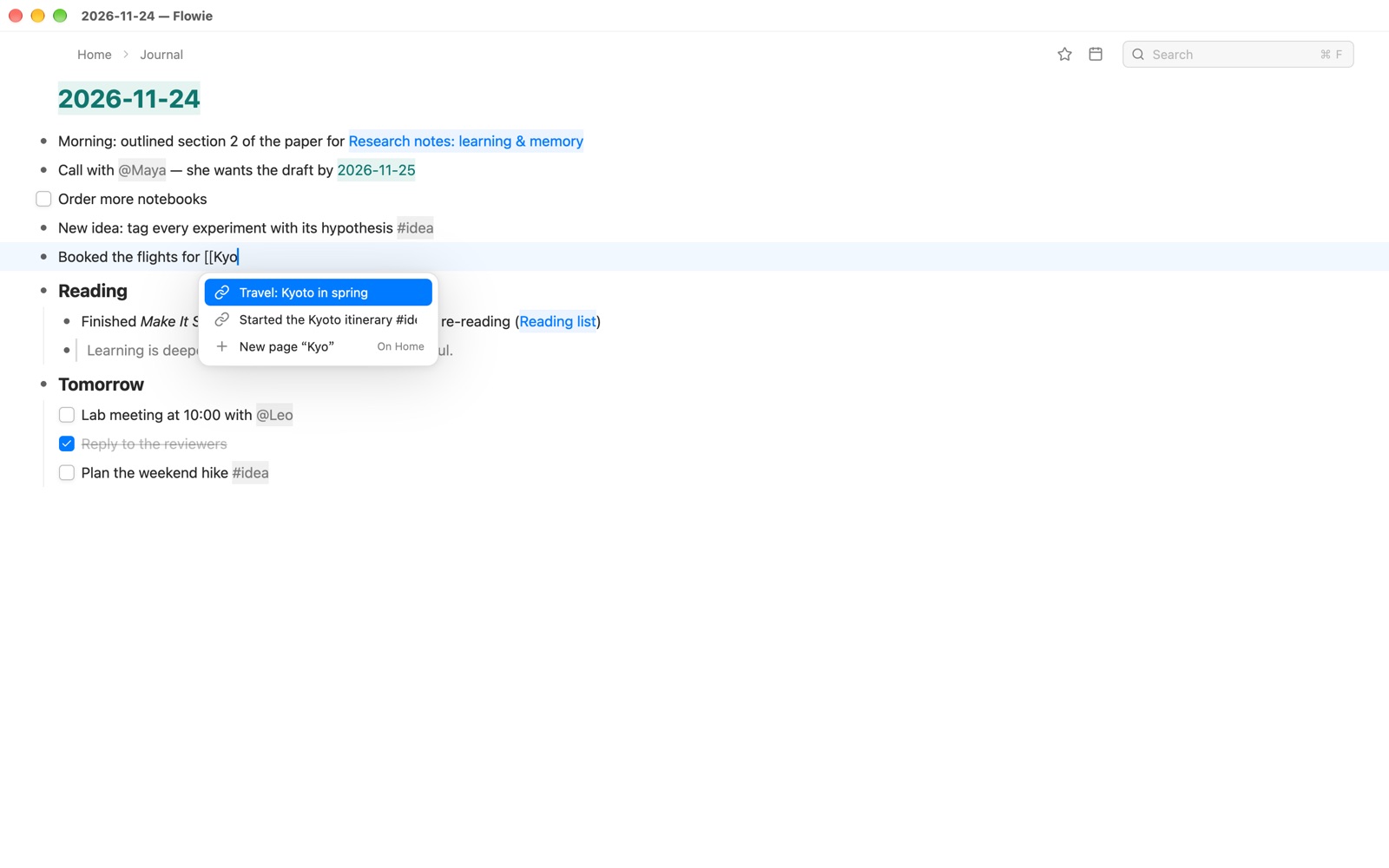
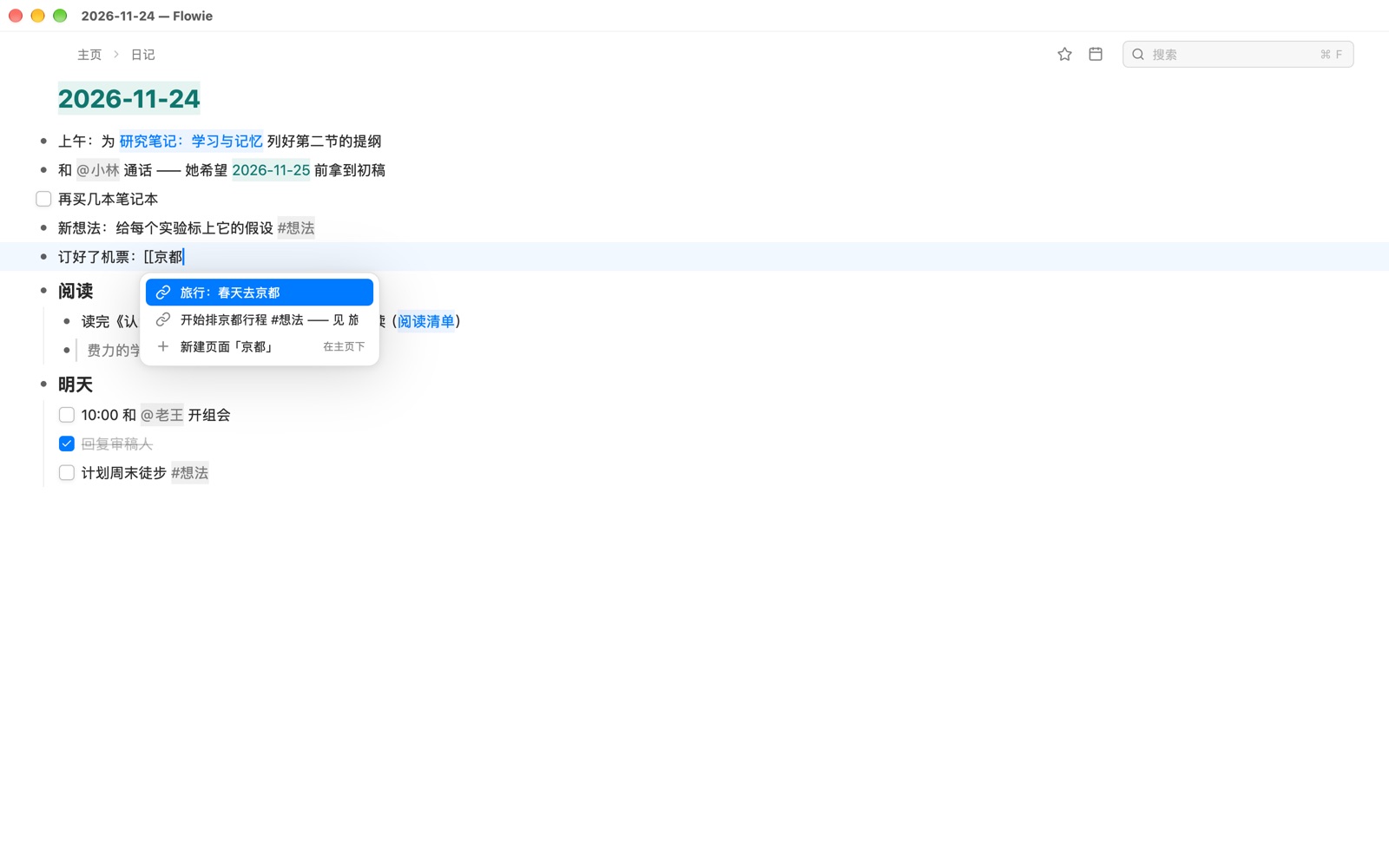
[[links with hover previews and backlinks- Mirrors: one bullet in several places
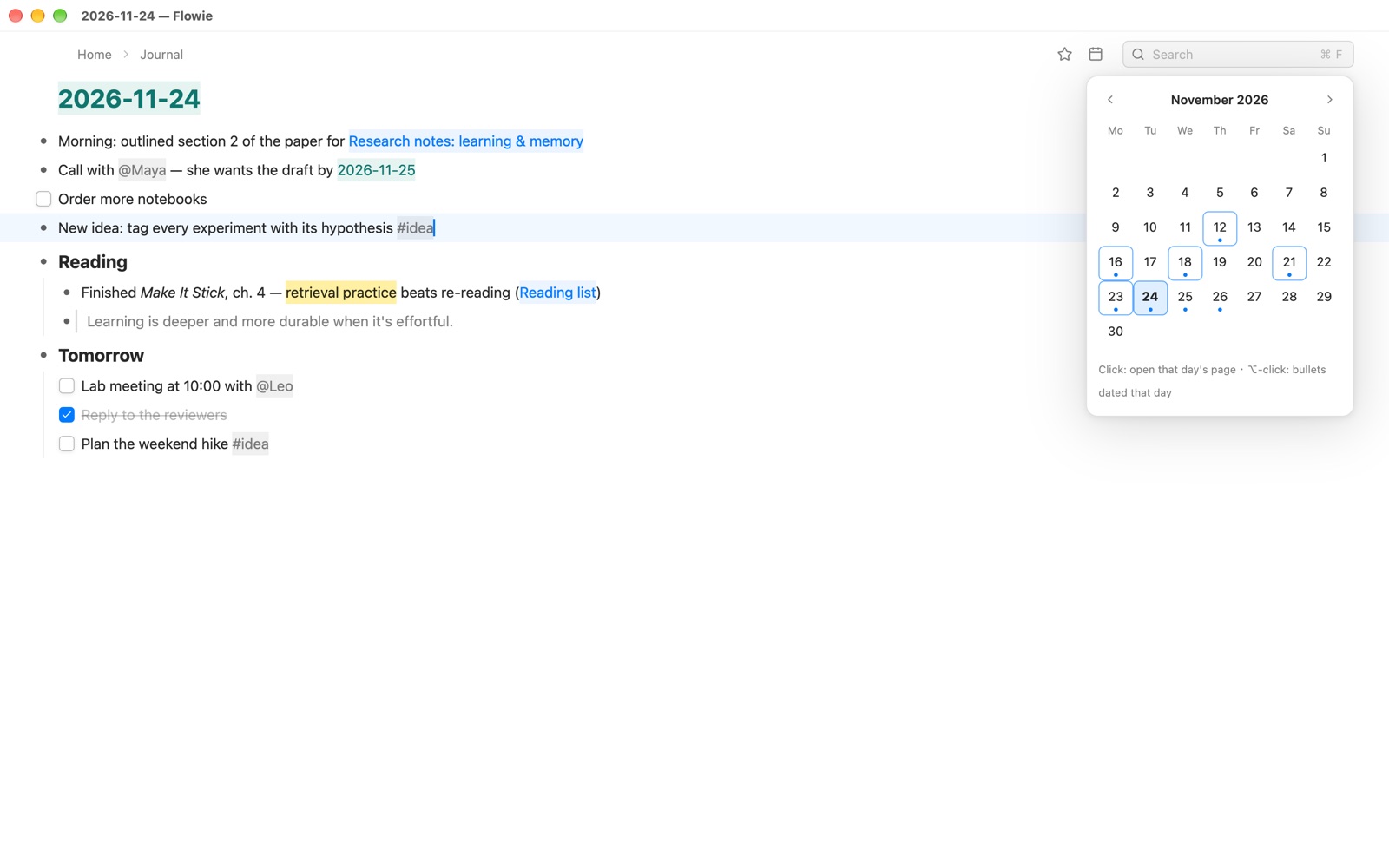
- Tags, mentions and clickable dates
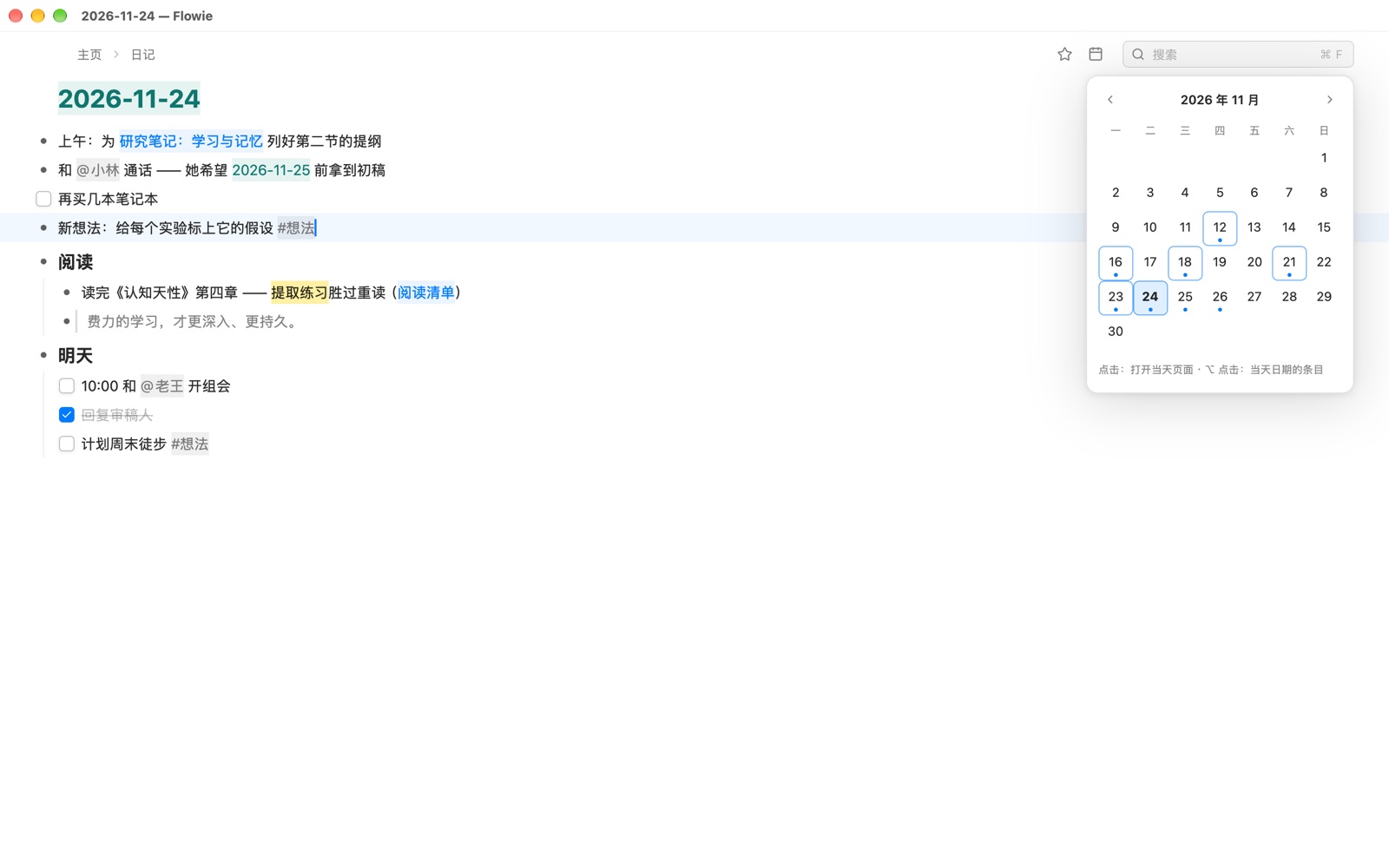
- Daily journal pages and a calendar
Find anything
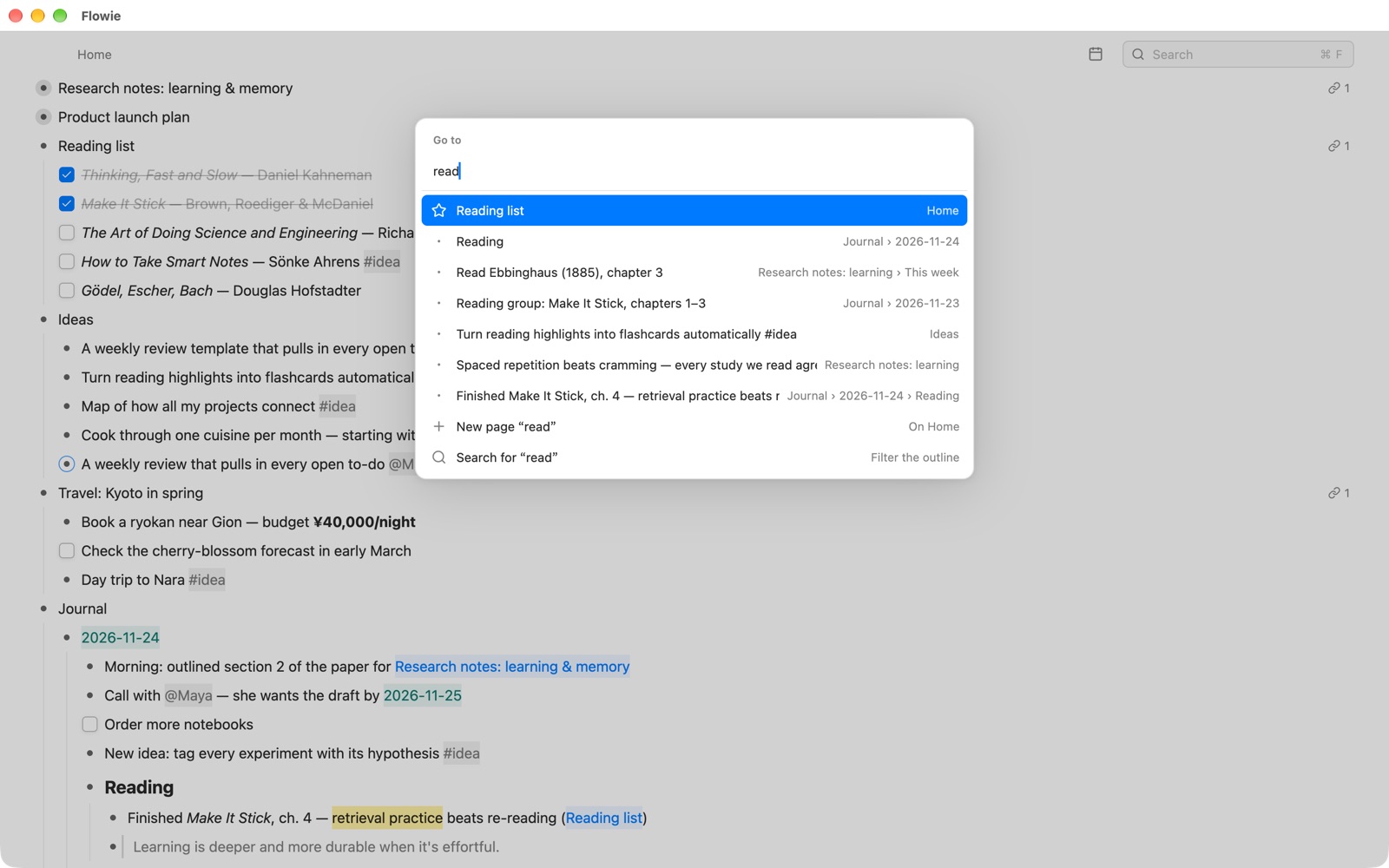
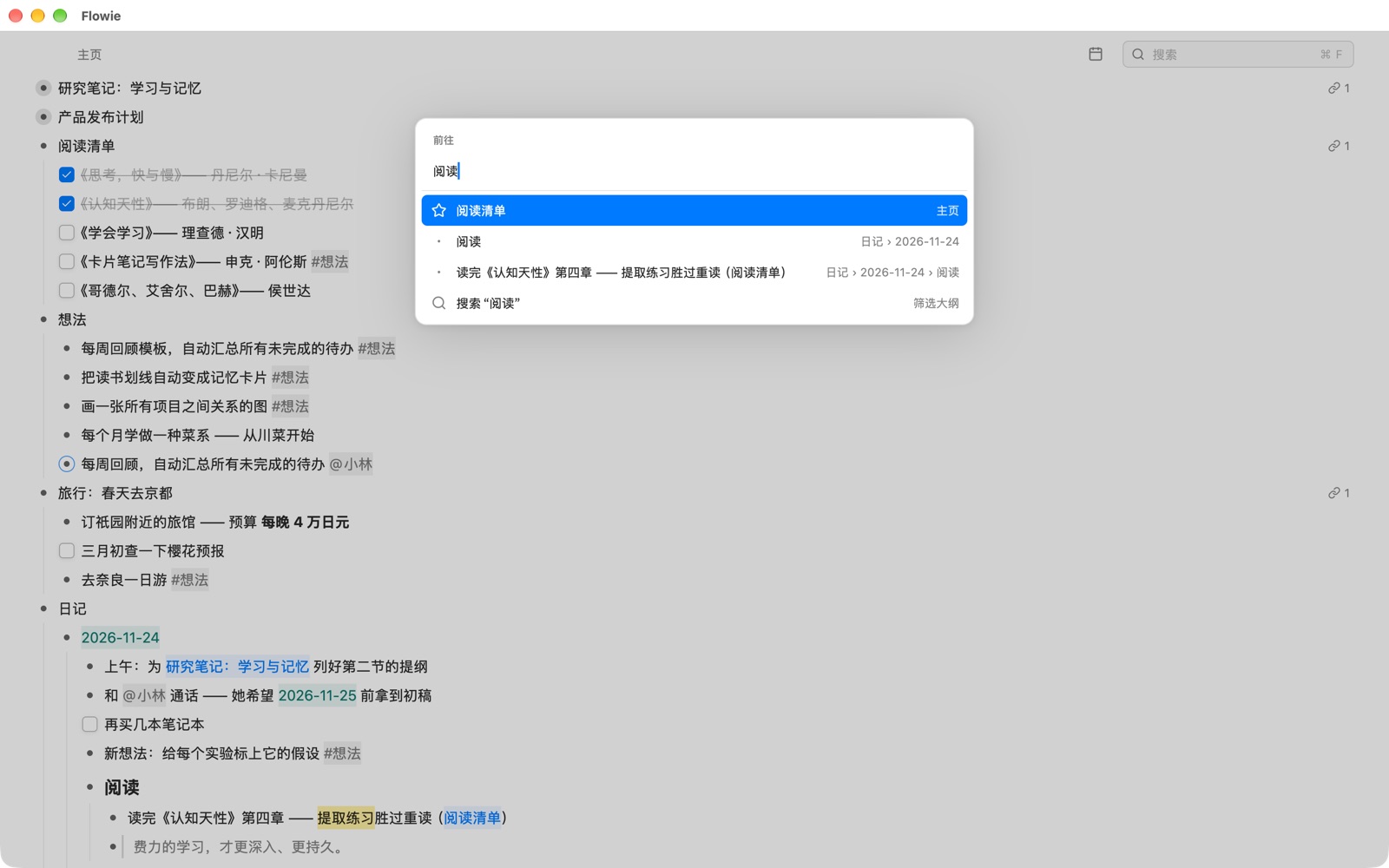
- ⌘P to jump to any bullet or create a page
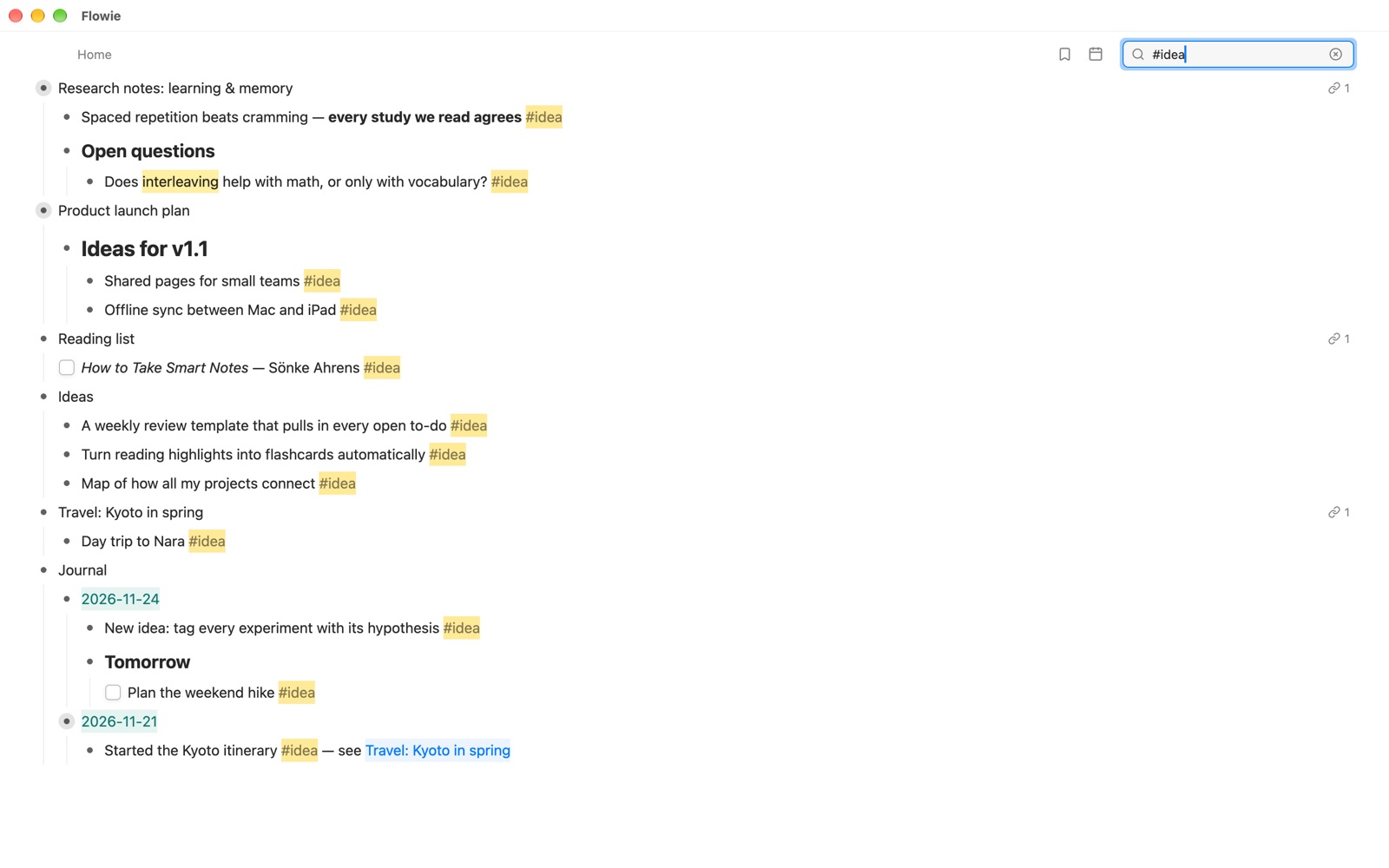
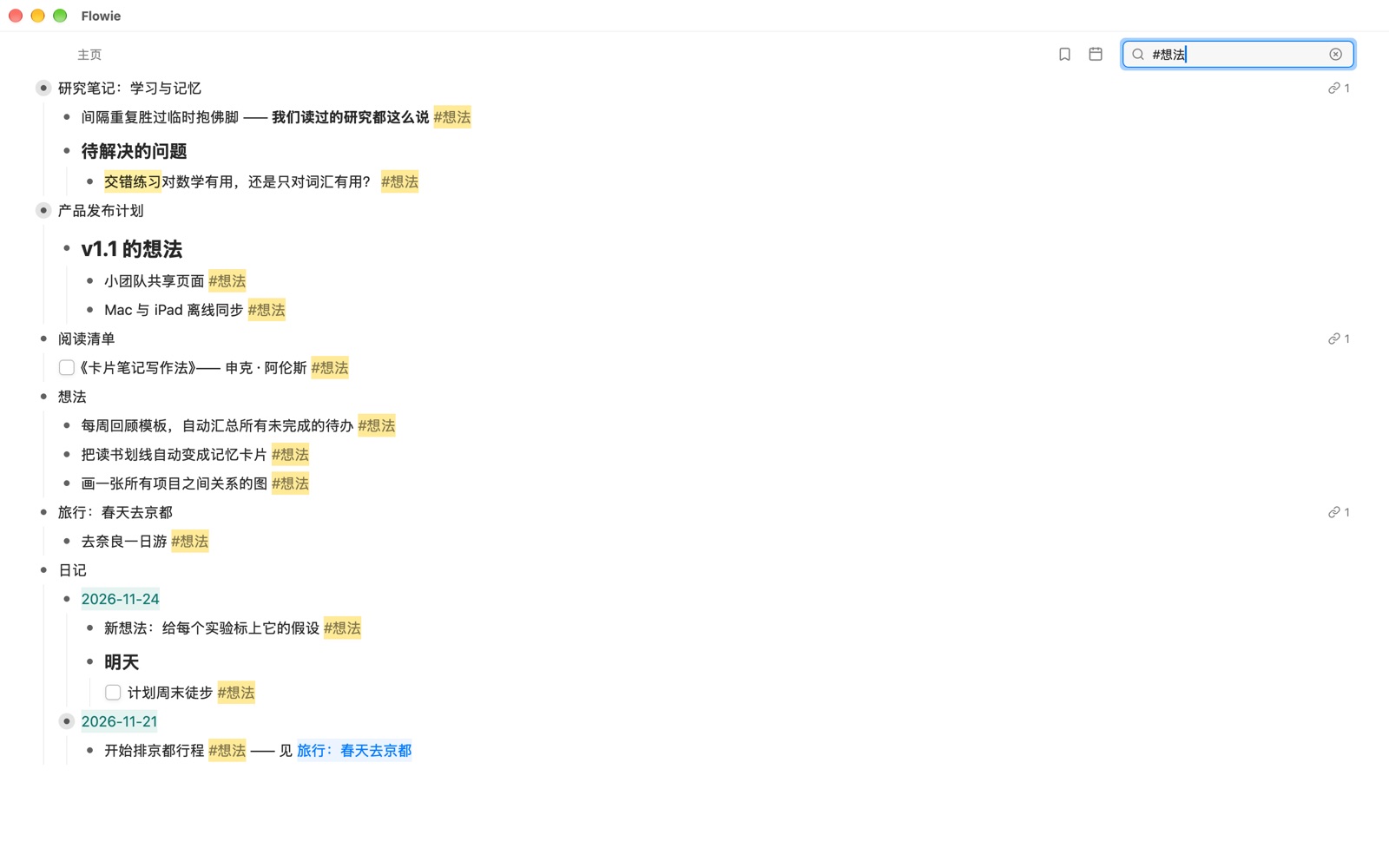
- Search with filters for tags, to-dos, dates and recent changes
- Starred pages, saved searches and
is:newfor unread imports
Keep and share your notes
- Local storage with no accounts, cloud sync or tracking
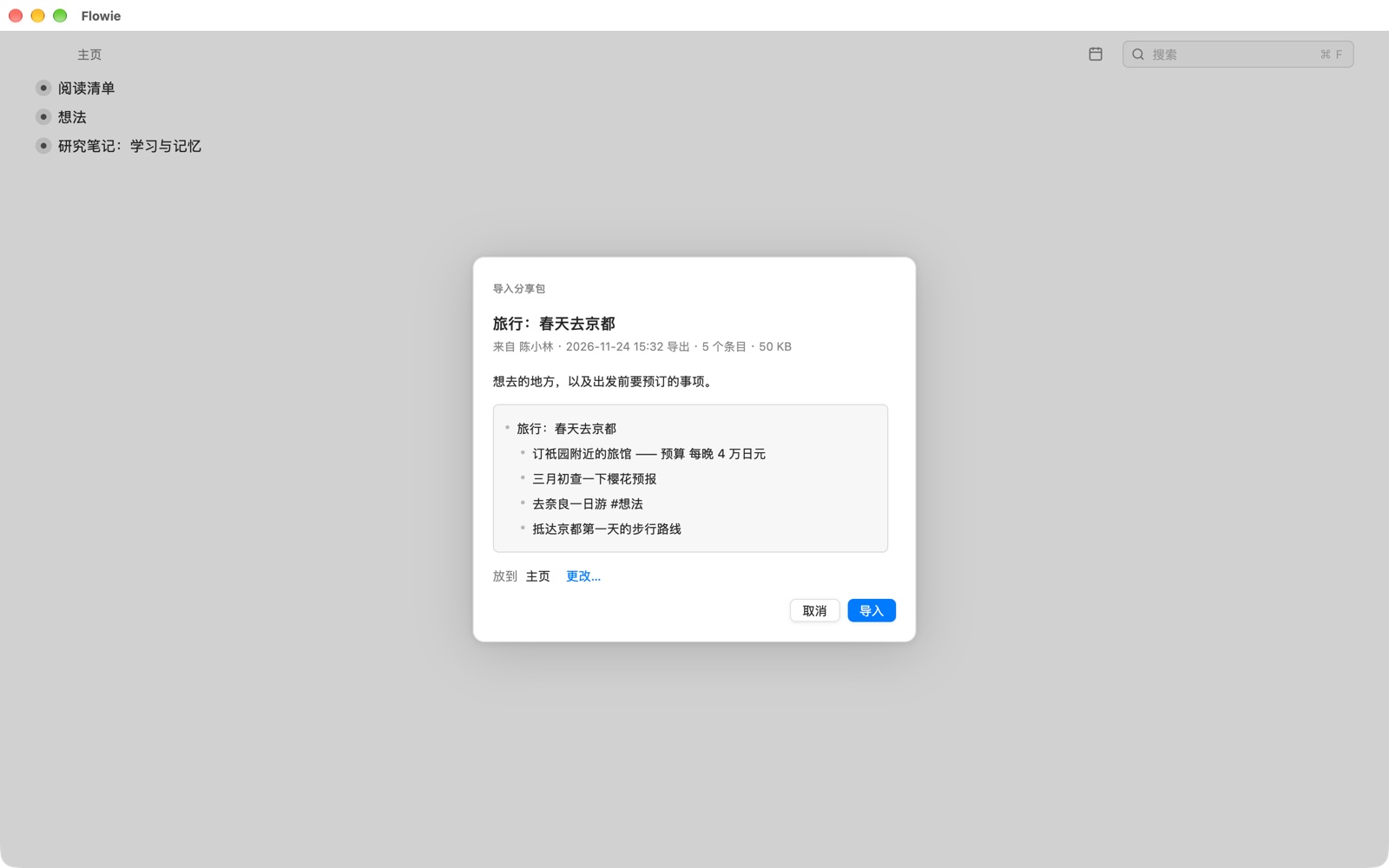
- Share a branch with its images as a
.flowiefile - Preview imports and merge updates to shared branches
- Import and export OPML, Markdown and plain text
Keyboard and AI
- Every shortcut can be changed, mouse side buttons too
- A built-in tutorial covers every feature
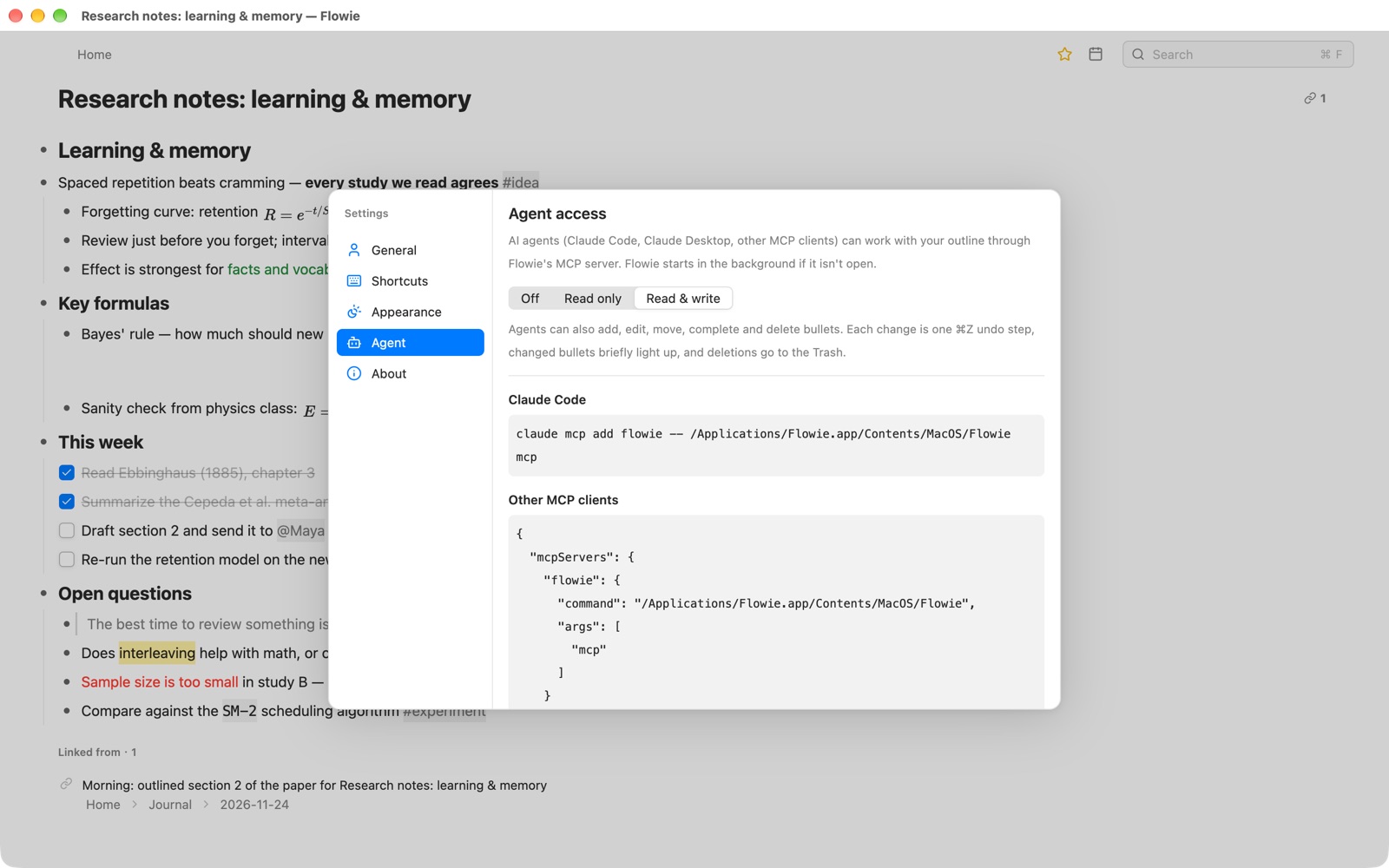
- An MCP server lets AI assistants read — and, if you allow it, edit — your outline
功能
书写与整理
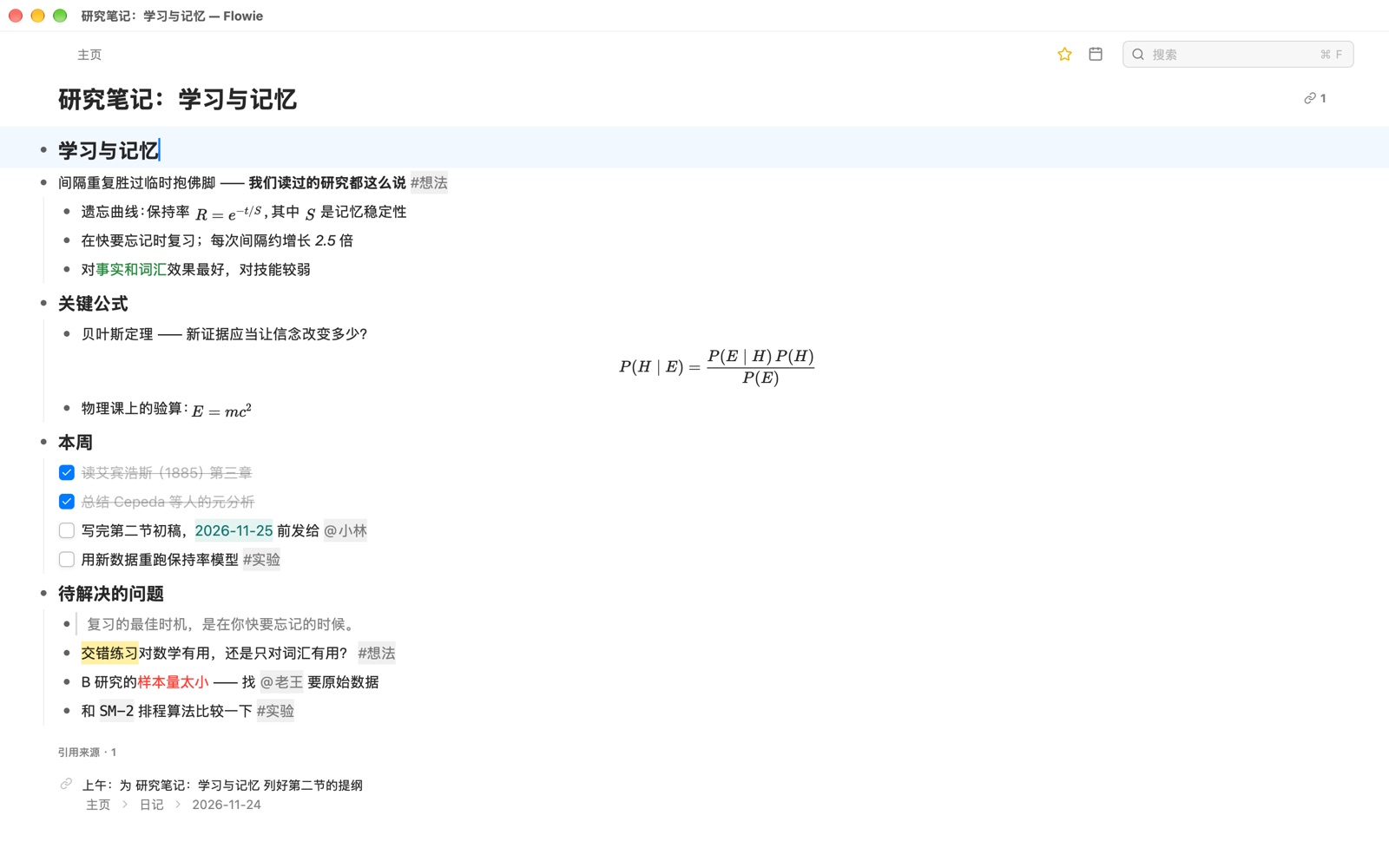
- 每个条目都是一个页面:进入专注细节,退出纵览全局
- 标题、待办、编号列表、引用、代码块
- 加粗、斜体、高亮、颜色和链接,快捷键或
/菜单即可 - 条目可以加备注,图片也能加说明
数学公式
- 行内
$…$与独立$$…$$LaTeX 公式 - 原生实时渲染,编辑时即时预览
连接想法
[[链接、悬停预览和反向链接- 镜像:同一条目出现在多个地方
- 标签、提及与可点击的日期
- 每日日记页与日历
查找一切
- ⌘P 跳转到任意条目,或新建页面
- 按标签、待办、日期、最近修改筛选搜索
- 收藏页面、保存搜索,用
is:new找未读条目
保存和分享笔记
- 保存在本地,无需账号,没有云同步或追踪
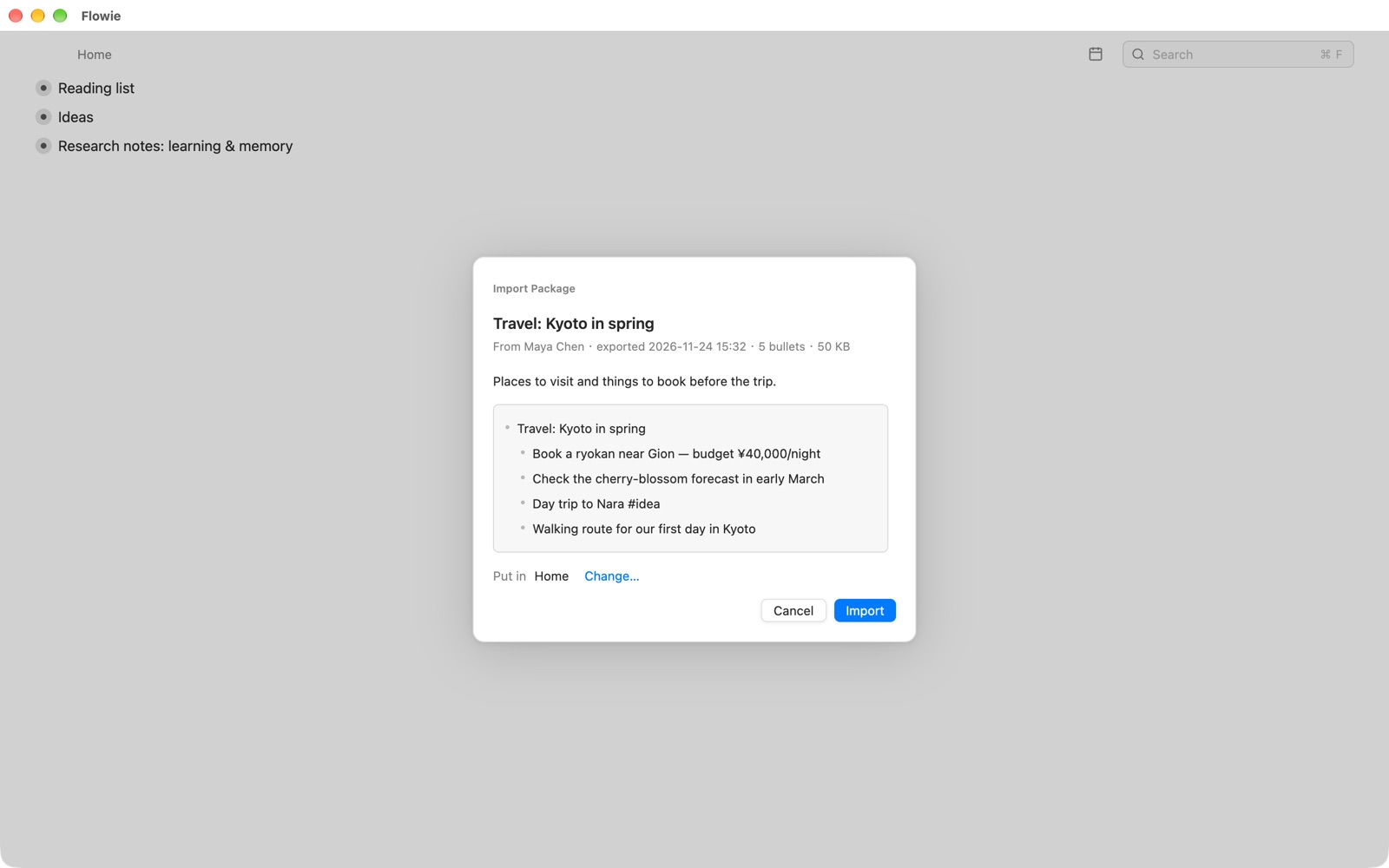
- 把条目、子项和图片打包成
.flowie文件 - 导入分享包前可以预览,收到新版可以合并变更
- 导入和导出 OPML、Markdown 和纯文本
键盘与 AI
- 所有快捷键都能修改,也支持鼠标侧键
- 内置教程,覆盖全部功能
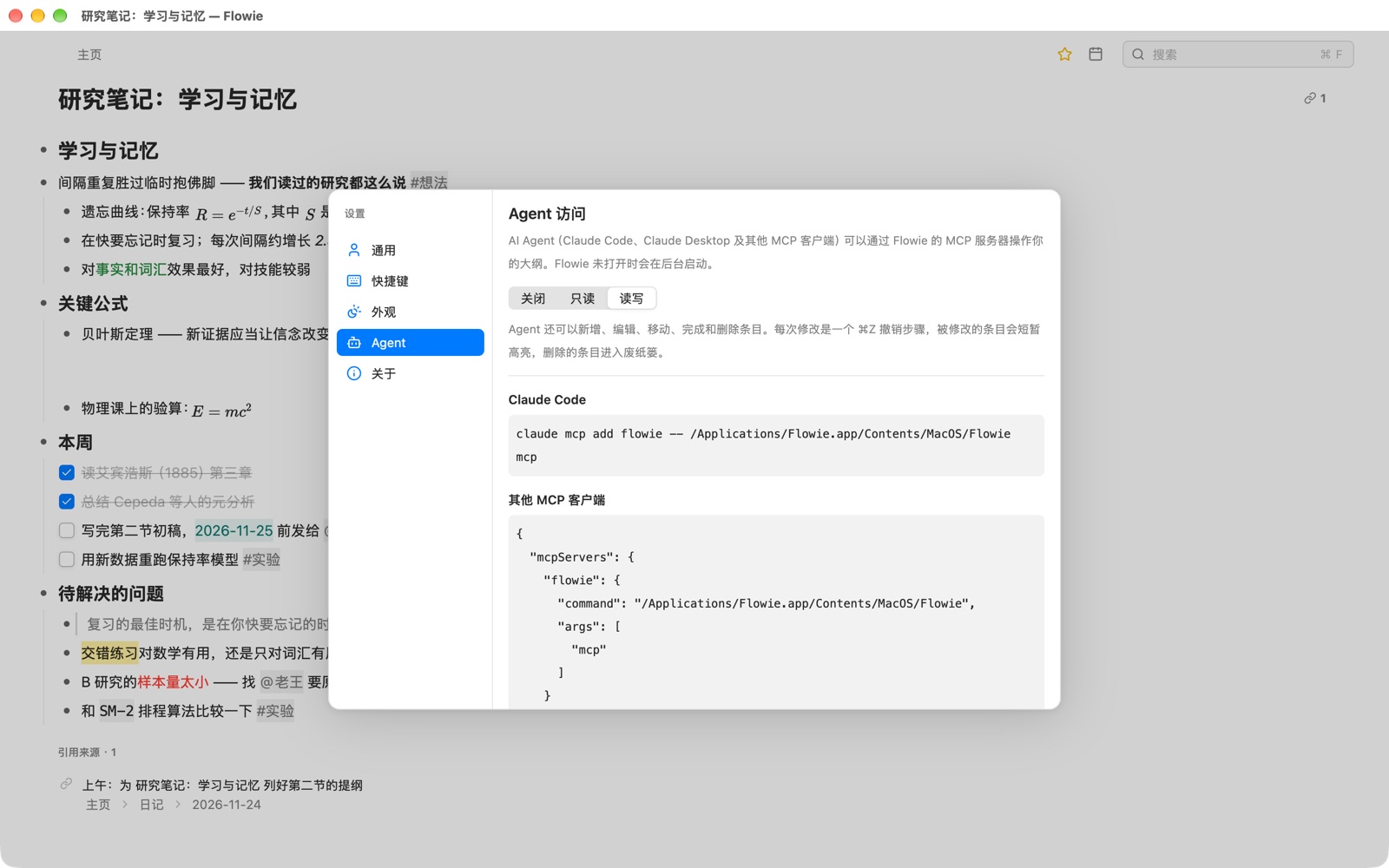
- MCP 服务器让 AI 助手读取你的大纲,允许后还能编辑
Screenshots
截图

Support
Send questions, bug reports or ideas to wesleyel@icloud.com or open a GitHub issue. Help → Send Feedback… fills in your Flowie version and operating system.
- What is Flowie?
- Flowie is a keyboard-first outliner. You can zoom into any bullet, link or mirror it elsewhere, keep a daily journal, and write LaTeX right in your notes.
- Which systems does Flowie run on?
- Download Flowie for macOS 13 or later (Apple silicon or Intel) or Windows 10 and 11 (64-bit) from GitHub Releases. On Linux, build it from source.
- Where are my notes stored?
- Flowie saves your notes in a local SQLite database and keeps attached images in a folder next to it. See where Flowie stores its files on each system.
- Can I sync across devices?
- Flowie works offline and has no sync service. You can send part of an outline to another device as a
.flowiefile. - Can Flowie replace Workflowy?
- If you use Workflowy for nested bullets, mirrors, tags and search, those features are in Flowie too. You can import a Workflowy OPML file directly.
- Can I write math in my notes?
- Yes. Type inline
$…$or display$$…$$LaTeX; Flowie renders it natively as you type, with a KaTeX-compatible engine. - How do I move my notes from Workflowy or another outliner?
- Export from the other app as OPML or Markdown, then use File → Import….
- How do I back up or export?
- Use the export commands in File to save Markdown, OPML, plain text or a
.flowiepackage. To back up Flowie's data, include the database and its image folder. - I deleted something by mistake.
- Undo the deletion, or open File → Trash. Deleted bullets stay there for 30 days.
- How do AI assistants connect?
- Enable access in Settings → Agent, then follow the MCP setup guide to connect your assistant.
- Is Flowie free?
- Flowie is free software under the GPL-3.0. Download the open-source version from GitHub Releases, install it with
brew install --cask wesleyel/tap/flowie, or build it yourself. The Mac App Store version is the same app, signed, sandboxed and updated for you — buying it supports development.
支持
有问题或建议,可以发邮件到 wesleyel@icloud.com,也可以在 GitHub 提交。在应用中选择「帮助 → 发送反馈…」,会自动附上 Flowie 和系统版本。
- Flowie 是什么?
- Flowie 是一款可以用键盘操作的大纲笔记。每个条目都能点进去当一页用。你可以链接或镜像条目、写日记,也可以在笔记里写 LaTeX 公式。
- Flowie 支持哪些系统?
- macOS 13 及以上(Apple 芯片和 Intel)和 Windows 10、11(64 位)可以从 GitHub Releases 下载。Linux 用户可以从源码构建。
- 笔记保存在哪里?
- 笔记保存在本地 SQLite 数据库里,图片放在数据库旁边的文件夹里。查看各系统的保存位置。
- 可以在不同设备间同步吗?
- Flowie 可以离线使用,没有云同步。要把部分大纲传到另一台设备,可以导出为
.flowie文件。 - 可以替代 Workflowy 吗?
- Flowie 也支持嵌套条目、镜像、标签和搜索。Workflowy 导出的 OPML 可以直接导入。
- 能在笔记里写公式吗?
- 可以。输入行内
$…$或独立$$…$$LaTeX 公式,Flowie 会用兼容 KaTeX 的引擎在输入时原生渲染。 - 如何从 Workflowy 等大纲工具迁移?
- 在原应用中导出 OPML 或 Markdown,然后在 Flowie 中选择「文件 → 导入…」。
- 如何备份或导出?
- 在「文件」菜单里可以导出 Markdown、OPML、纯文本或
.flowie分享包。备份 Flowie 数据时,记得把数据库和旁边的图片文件夹一起备份。 - 误删了内容怎么办?
- 可以撤销,也可以打开「文件 → 废纸篓」恢复。删除的条目会保留 30 天。
- 如何连接 AI 助手?
- 在「设置 → Agent」中允许访问,再按 MCP 配置指南连接助手。
- Flowie 免费吗?
- Flowie 是以 GPL-3.0 授权的自由软件。可以从 GitHub Releases 下载开源版、用
brew install --cask wesleyel/tap/flowie安装,或自行编译。Mac App Store 版本是同一个应用,已签名、沙盒保护并自动更新——购买它就是对开发的支持。